Ayo Free
Free
One mailbox from any supported provider, with mail, receipts, delivery status and protection.
PEC · iPhone & iPad · iOS 17+
A PEC client for people who use it every day: thoughtful mail, clear receipts, recipient suggestions and Face ID protection, on iPhone and iPad.
One mailbox, free. More mailboxes and signature checks with Ayo Plus.
Works with Aruba PEC, Poste Italiane, Legalmail, Register.it and Namirial, and with other providers through manual setup. Independent of every PEC provider.
Explore AyoFree and PlusOur first release is in preparation. Not yet available on the App Store.
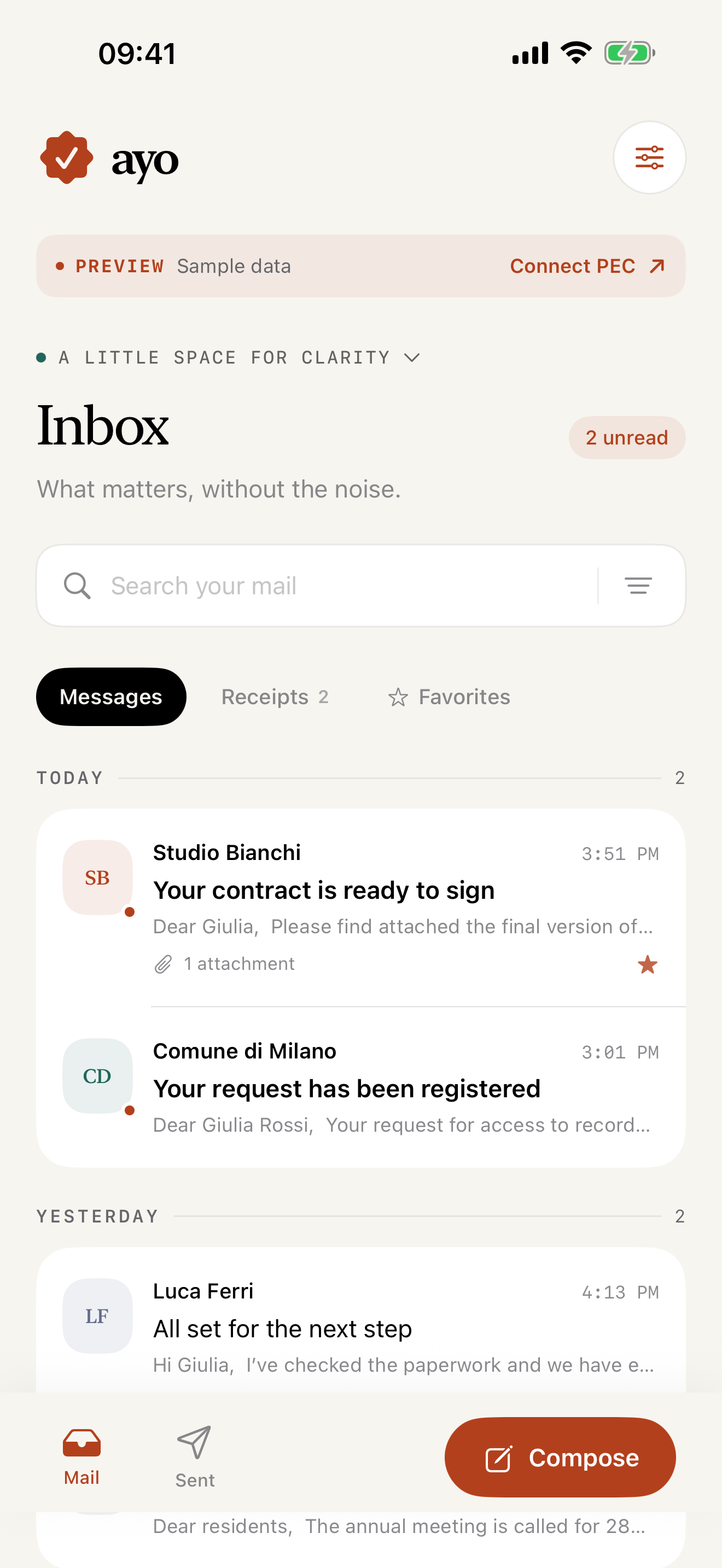
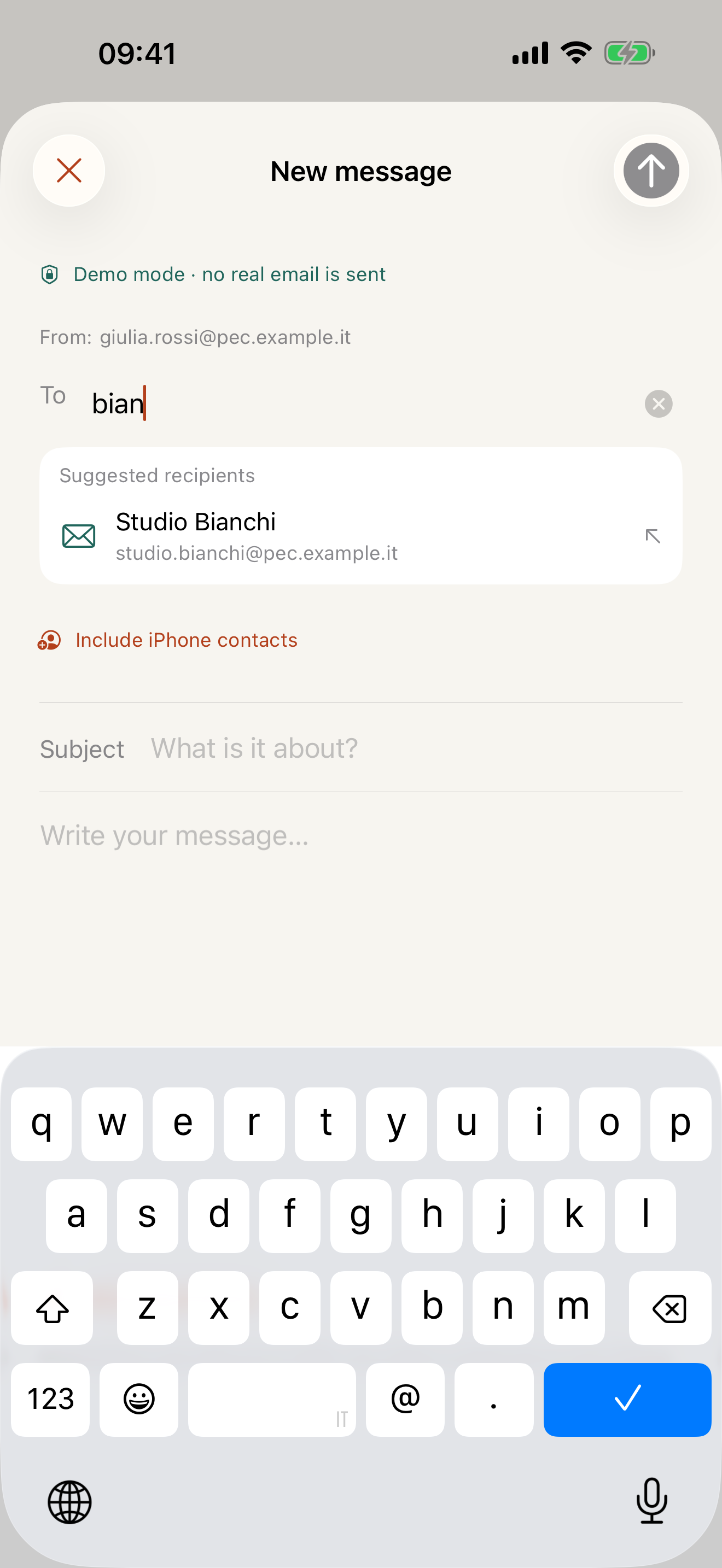
Everyday PEC
Every sent message shows its delivery status (accepted, delivered or not delivered) with its receipts linked underneath. Delay warnings are never mistaken for failures.
Keep Inbox and Sent without changing your address. Guided setup for Aruba PEC, Poste Italiane, Legalmail, Register.it and Namirial; for other providers you can enter the servers yourself.
Suggestions come from your mailbox history and, with your permission, your phone’s contacts. You can focus on the message.
Ayo indexes Inbox and Sent without a message-count limit. Full content downloads when you open a message.
Personal, down to privacy
Enable app lock with Face ID, Touch ID or your device passcode. Ayo asks you to unlock at launch and after entering the background, and conceals app switcher previews. No in-app analytics.
A built-in TOTP authenticator with QR scanning and protected access. Keys stay on your device, without sync or backup: keep a separate recovery method.
Free · Plus
Ayo Plus is a single in-app purchase, with no subscription. The price is the one shown on the App Store.
Free
One mailbox from any supported provider, with mail, receipts, delivery status and protection.
One-time no subscription
More mailboxes, including different providers, and on-device receipt signature checks.
| Feature | Ayo Free | Ayo Plus |
|---|---|---|
| Connected mailboxes | One | Several, including different providers |
| Providers | Any supported provider | Any supported provider |
| Mail, suggestions, receipts and delivery status | Included | Included |
| Original-message export | Included | Included |
| App lock and authenticator | Included | Included |
| Receipt signature checks | Not included; tampering already detected stays visible | Included, with the result and certificate details |
Additional mailboxes you have connected stay saved without Plus, and you can remove them without buying.
Compatibility and limitations →With Ayo Plus
When you open a receipt, Ayo checks on the device that the signed content has not been altered and that the provider’s certificate chains to the AgID CA included in the app. The result distinguishes a verified signature, an intact signature of unconfirmed origin, an invalid signature and a check that could not be completed.
Ayo does not check certificate revocation, historical validity or the signatures of individual attachments, and it contacts no external service. A verified signature does not certify a message’s legal validity or its delivery, and it does not replace certified archival storage. Tampering already detected stays visible without Plus.
An independent client in Italian and English. Before you start, check that your mailbox allows access from mail apps.
Ayo includes setup for Aruba PEC, Poste Italiane, Legalmail, Register.it and Namirial. For other providers you can enter IMAP and SMTP servers with direct TLS yourself; STARTTLS and OAuth are not supported. You need a mailbox with mail-client access and, with two-step verification, a dedicated mail-program password. The built-in authenticator generates standard TOTP codes, but device enrollment and login approvals stay in each provider’s official app.
Ayo checks your mailboxes directly from iPhone and iPad and creates alerts on the device, with no server in between. iOS schedules those checks and may delay or skip alerts. Setup and limitations are explained in the support guide.
Receipt types come from PEC metadata; signature checks are part of Ayo Plus. Ayo does not provide certified archival storage. Full downloads are limited to 8 MB per message and compose attachments to 5 MB in total. Larger messages can still be opened in your provider’s Webmail.
Our first release is in preparation. Not yet available on the App Store.
Let’s talk about AyoPrivacy policy